Hestia: The Monidoor: The Big Sleep, and Wake, Cycle...
with windows 10 support ending back in october i decided last monday that i needed to bring hestia the monidoor into the present with a new operating system. yusef is a linux mint evangelist and while i have it running on my gaming pc / media server my research seemed to indicate that for the touch screen of the monidoor hestia would be better served by fedora because of its touch screen friendly wayland input and dispay protocol. so i downloaded fedora workstation and used balenaEtcher put it on a thumb drive and live booted it on the thinkpad. i pulled up our calendar on firefox and the on screen keyboard (OSK) worked for making events and tasks, and i pulled up google maps and we had full multitouch with pinch to zoom. it all looked pretty good so i blasted away windows and installed fedora.
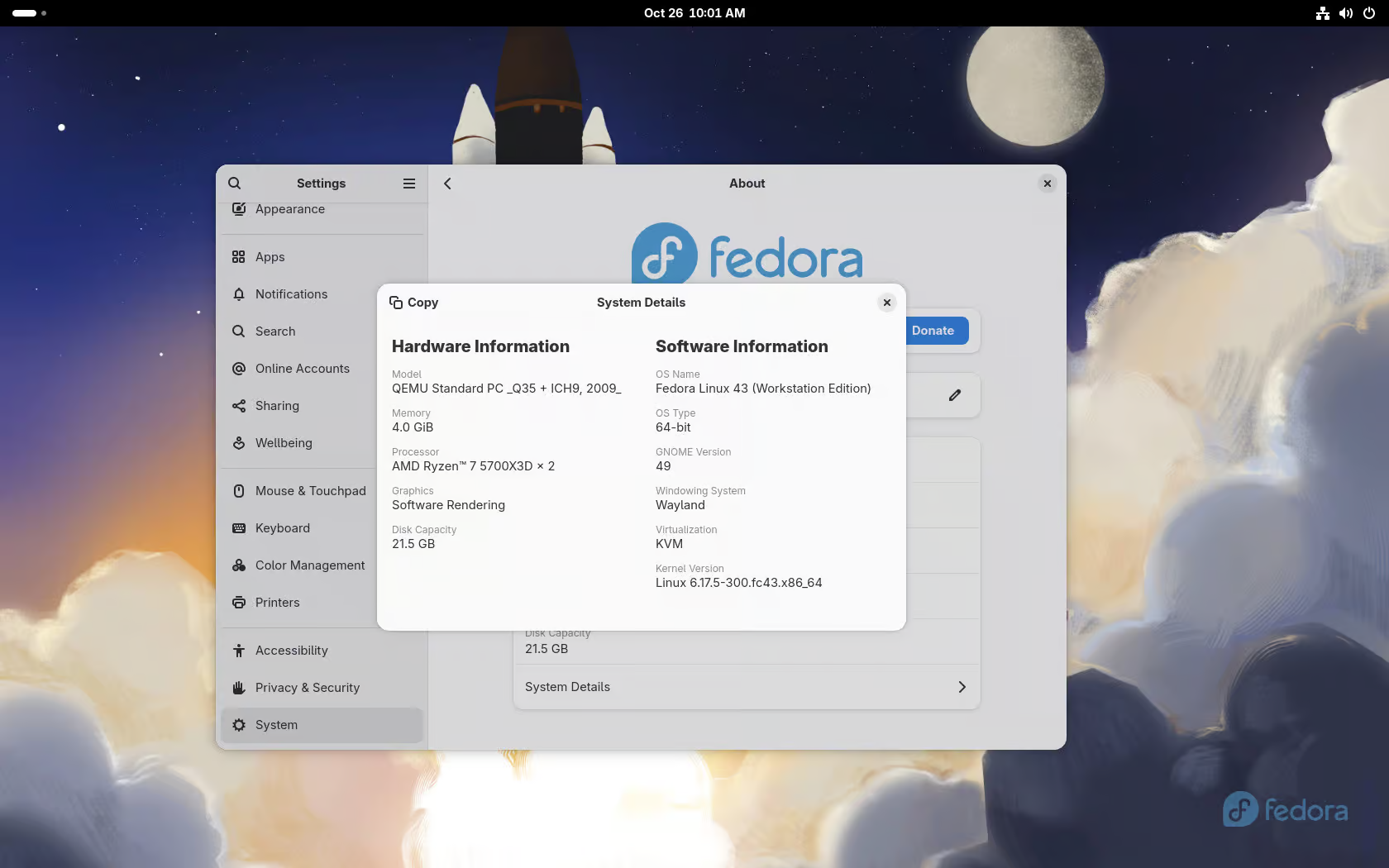
so a day went by and i started working on setting up a sleep wake cycle in systemd so the monidoor would be on when i got up in the morning and would sleep at night to save power and not blind the neighbors since it faces a window. i installed ssh on hestia so i could administer it from my office and started digging into the systemd files. systemd is the primary system and services manager in linux and also the daemon that runs those services. back in day, and still on some unix systems, if you wanted to create scheduled tasks you used a daemon called cron which is a time keeper. cron originally came from the greek word (or god) chronos, meaning time, though it has been backronymized as ‘Command Run On Notice’ which i think is fun. cron was used to automate the execution of scheduled or repetitive tasks which were called cronjobs and which were configured through a file called a crontab (short for cron table). in systemd this is done with two files, a .timer file that tells systemd that it is time to do a thing and a .service file that tells it what thing it is time to do, separating the “do a thing” from the “when” and/or “why” for greater granulation. in my case i wanted hestia the monidoor to go to sleep at 10 PM sunday - thrusday but to stay up later on fridays and saturdays in case we are hanging out in the kitchen watching music videos or looking at photos or using wikipedia to put drunken debates to bed. this takes two different .timer files for each schedule, but only one .service file since the end goal is the same for both processes (go to sleep).
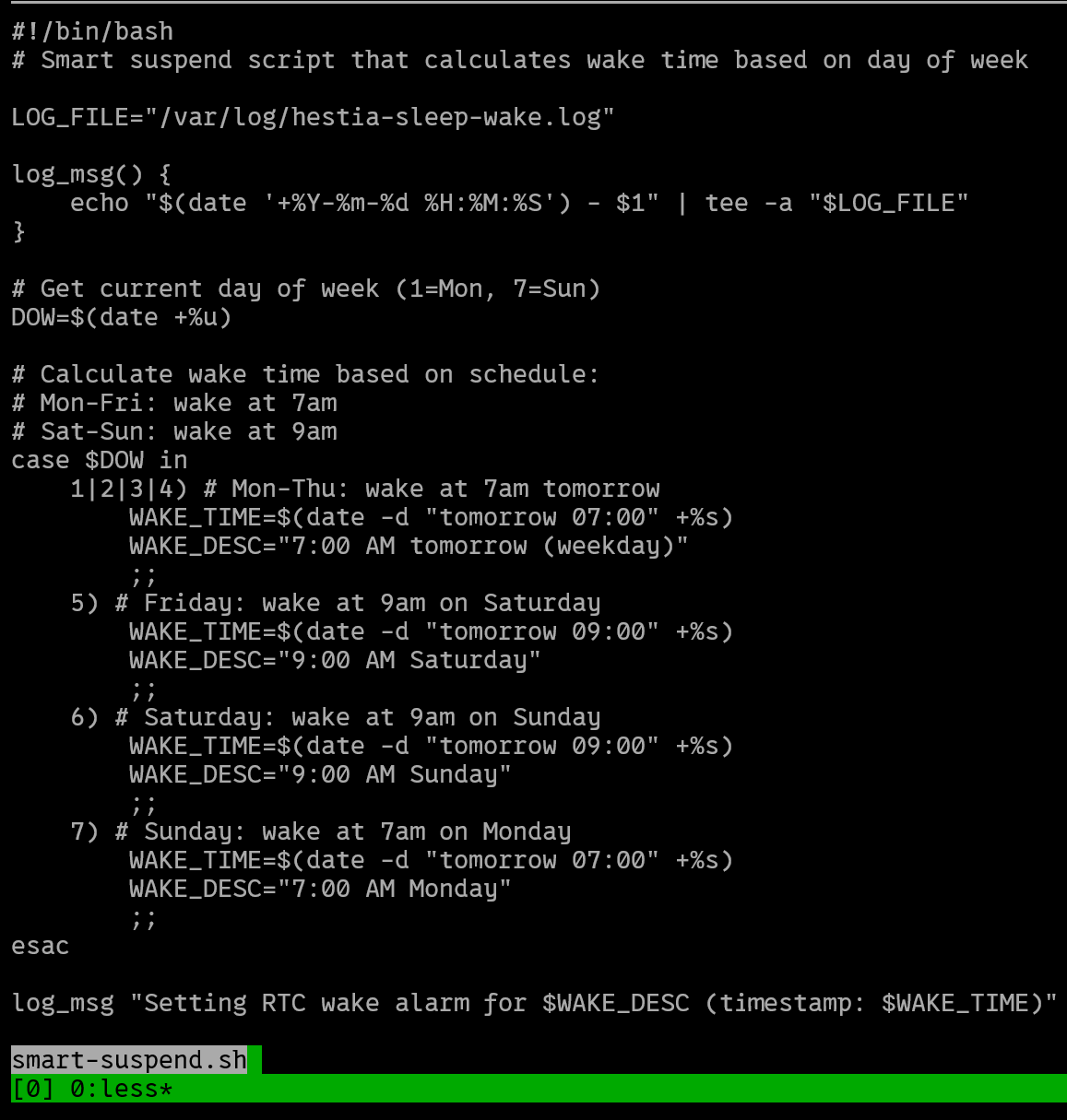
the problem is, once hestia is asleep so is systemd, so we need to make sure that it lets hestia know when she needs to wake up before she suspends. luckily computers have a built in alarm clock the RTC or Real-Time Clock that has its own battery so it can keep time even when the power is off. so i vibe-coded up a bash script called smart-suspend.sh that sets the alarm clock and then i told our sleep at service to run that.
here is the part of the script that checked the current time and day and defined the schedule.
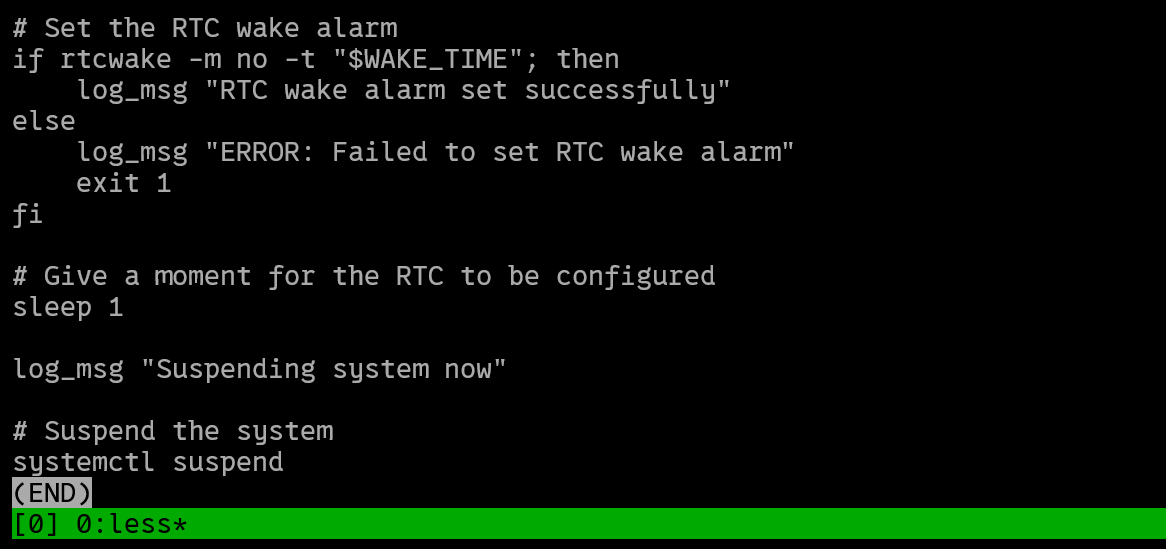
and this part that set the alarm and put hestia to sleep.
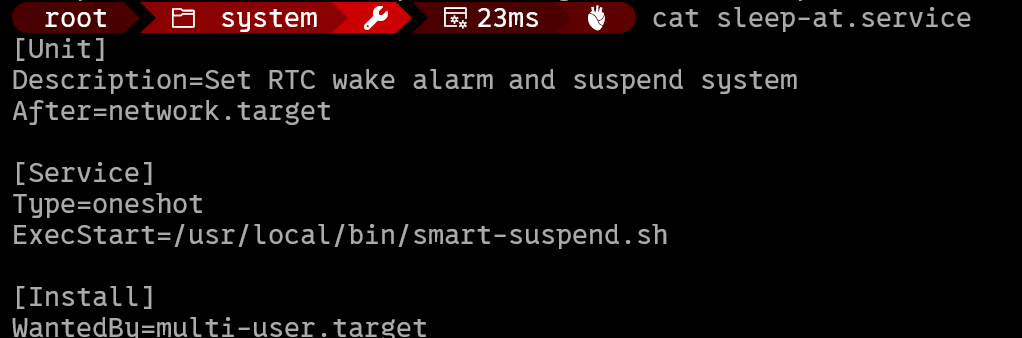
and this is the sleep-at.service unit file in systemd that triggered the script.
so the wake and sleeping was done. next i wanted to setup remote desktop so i could customize the gnome desktop environment.
i started by downloading VNC, Virtual Network Computing, a program that starts a server for remote access just like ssh but that lets you interact with the full linux GUI, even from a windows machine. unfortunately when i went to try and access it from my office computer it crashed.
meanwhile in the kitchen there were other problems with the monidoor. when i first tested the onscreen keyboard in fedora with the liveboot thumbdrive i did it in firefox. unforntuately i was determined to use the more private ad blocking brave browser on the monidoor but when i clicked on things in brave that asked for input the OSK failed to pop-up. so, i could ssh into hestia no problem, and i could use the native OSK in the terminal on the monidoor, but i couldn’t remote desktop into hestia or use the OSK on brave. it turned out that these were the same problem. apparently the wayland display protocol, though way better in a million ways, doesn’t work well with remote desktop or with brave.
so i tried to force fedora to use an older display protocol, x11, that i know works well with both brave and with remote desktop. the linux desktop environment fedora uses is a GUI called GNOME, so i went into the GNOME configuration files, specifically /etc/gdm3/custom.conf, and set WaylandEnable=false and created a setting option on the fedora login screen to load GNOME Xorg, which runs x11, and then i restarted and got this…
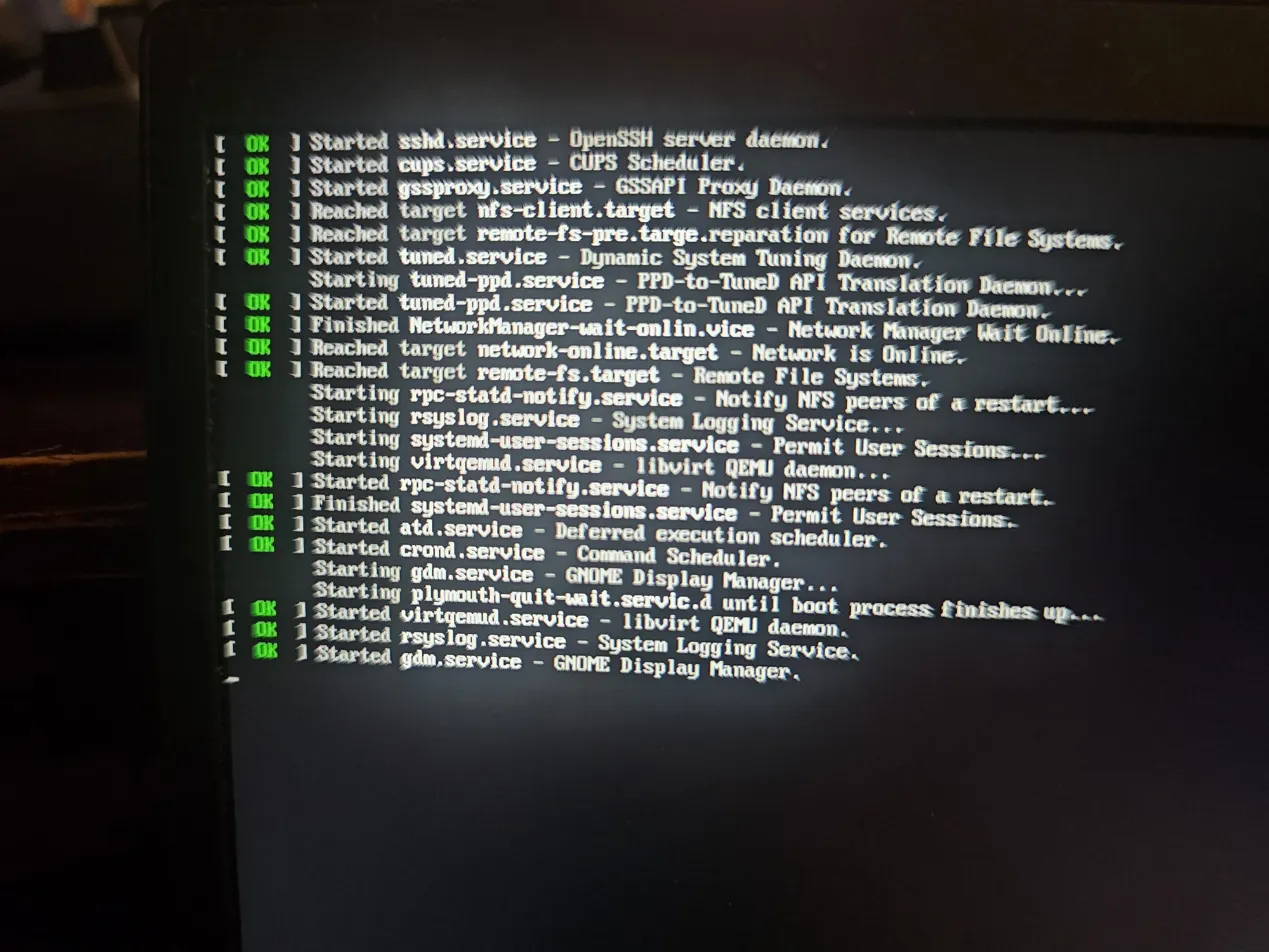 remember the ssh server i set up, it was there, so was systemd, and even crond which runs cron jobs was there, but then when it tried
 gdm.service, the GNOME Display Manager, it froze. after doing some research i decided that this was a fedora problem and pulled hestia out of the monidoor.
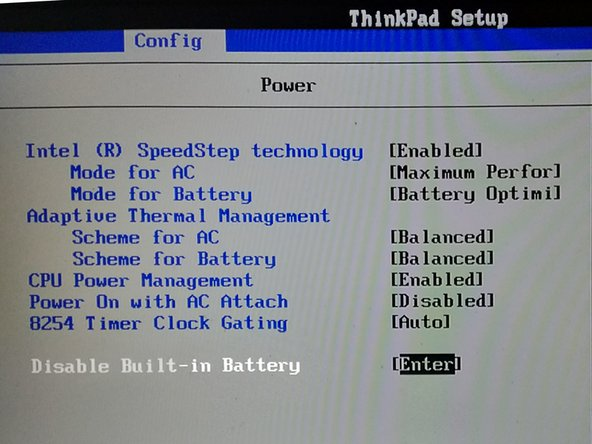
back in my office i plugged hestia into a power supply and blasted away fedora and installed ubuntu. while i was doing this i noticed that the thinkpad was no longer charging and that the light next to the power input was no longer lighting up. one of the advantages of fedora is that it is super update happy, and in one of the many reboots i had performed on hestia testing the sleep and wake cycle, fedora suggested updating the firmware on the thinkpad, so i did, and apparently this broke its ability to charge. i began the process of scouring the internet to try and figure out what had gone wrong, and get a lot of different possible solutions, but the easiest to preform is a reset of the embedded controller by cutting its power in the BIOS by performing an internal battery disconnect. the embedded controller is a very small, low power computer within the computer that separately manages critical hardware like the battery management system, power to the motherboard, input from the physical keyboard, and coincidentally, sleep and wake transitions, and is powered, also coincidentally, in part, by the same CMOS battery as the real time clock. the logic was that if you cut power to the embedded controller you also reset the battery management system. basically its a deep level “turn it off and on again” and goddamn it worked instantly: i restarted the computer, entered the BIOS selected “disable built in battery” and rebooted and it was charging again.
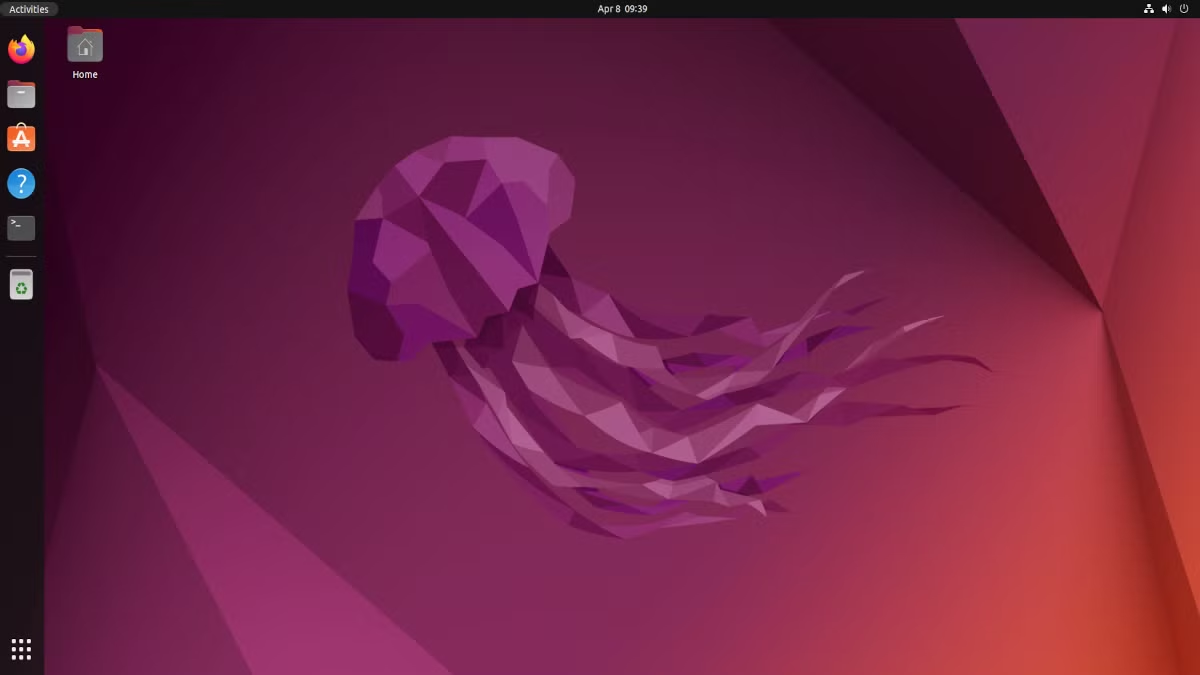
so i had ubuntu running on hestia, and the power worked, and i had backed up all my sleep and wake files so i could easily install them on the new ubuntu sytem, but when i tried to use brave i ran into the same keyboard problems i did on fedora. i did some digging and it turned out ubuntu has moved to the wayland display protocol as well. i didn’t even try to force x11 this time, i blasted ubuntu away…
in my shopping for operating systems i had come across a lot of people in forums talking about tiny11, a barebones debloated version of windows 11. so i found a copy of tiny 11 on the internet archive and used balenaEtcher to make a boot disk on a thumb drive but halfway through the installation process an error popped up “A media driver your computer needs is missing.”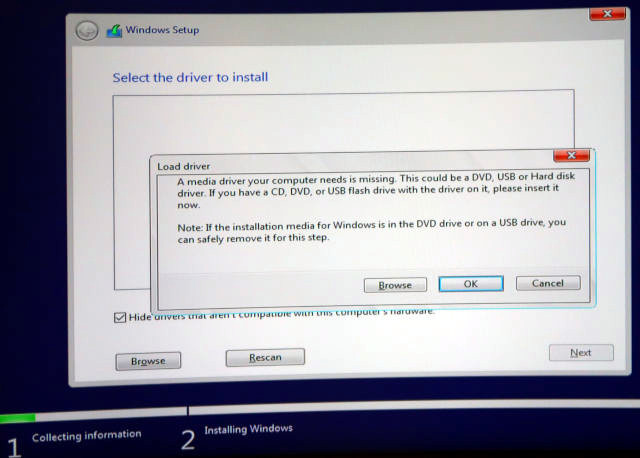
so i went back to scouring the internet for solutions and discovered that belenaEtcher doesn’t write windows installers with the proper media device chipset drivers. i decided to try a different usb imaging utility called rufus which i read worked better with windows, and it does. rufus even has an option that lets you bypass the TPM 2.0 (trusted platform module) requirement for windows 11 installs, letting you install windows 11 on older computers that have the memory and processing power to run it but might not meet the strict security requirements.

so after my second installation attempt i had tiny 11 on hestia and it looked pretty good but again i had problems with the on screen keyboard. it turns out that windows 11 doesn’t let you go into settings and force tablet mode but scans your hardware and only allows tablet mode for specific hardware configurations and the monidoor isn’t one of them. so tiny 11 isn’t going to let us have a popup onscreen keyboard either.
so what did i do. after five days of configuration and the installation of three different operating systems (fedora, ubuntu, and tiny windows 11) i decided my only choice was to go back to windows 10.
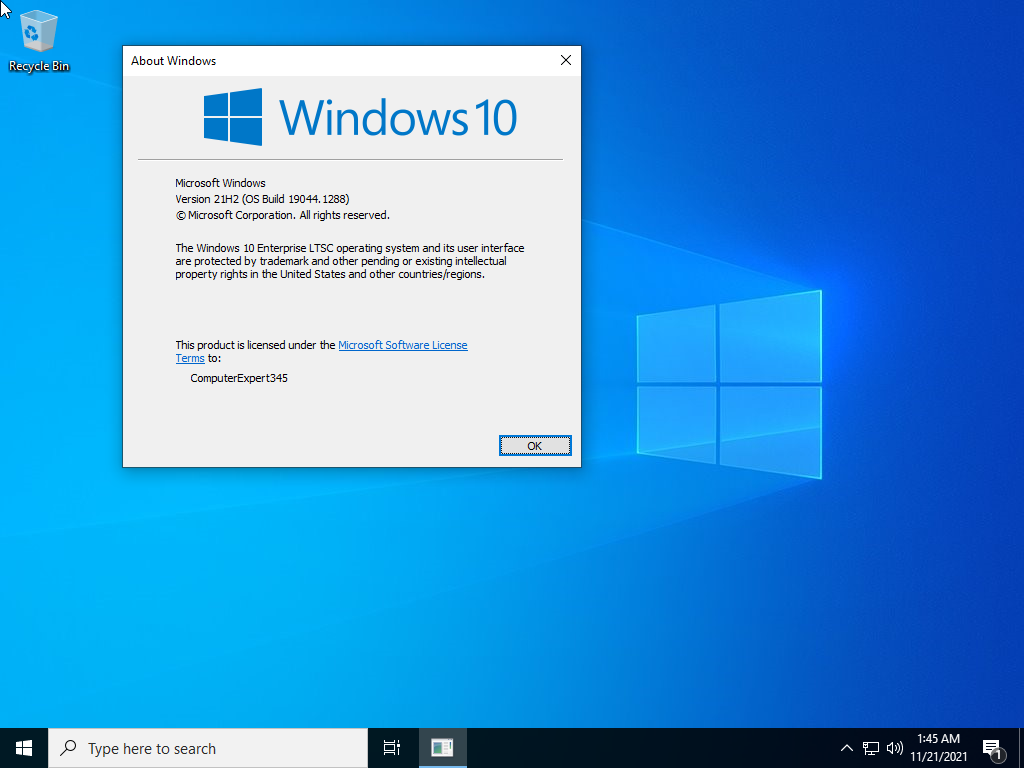
at that point i had chased down a copy of windows 10 LTSC 2021 on the internet archive (which is the source for obscure operating system ISO files). windows LTSC or Long-Term Servicing Channel is a fork of windows designed for extreme stability in legacy systems like medical or industrial systems, and for public facing kiosks, which is sort of what monidoor is. it is a very minimalistic version of windows 10 and will receive essential updates and support until 2027 (or 2032 if you get the iot enterprise version). so i set up a boot disk with rufus and installed window 10 LTSC and it worked perfectly. its friday now and we are essentially back where we started on monday with only the minor improvement of continued support, which i guess was the goal, but still, what a long and stupidly winding road to get here.
saturday afternoon i went into my router configuration files and setup a vpn server on my home router so that i could work on the sleep wake cycle on hestia in windows system manager from denver. i then went to the monidoor to set up windows remote desktop protocol. i hadn’t done much configuration after getting windows 10 LTSC going the day before so hestia had gone into standby mode overnight and it asked me for a password. i put in the password i thought i had set and it didn’t work. so i put in a different password and still no luck. there are ways to reset the password but i didn’t have time before my flight. without RDP set up on hestia there is no way to continue my setup remotely and so the monidoor sits at home inert and inaccessible and i am stuck here in denver with only my thoughts about everything i did over the last week and a half and how none of it has worked out as planned.